Your own library, on every screen at home.
Maktaba keeps your films, series and recordings on a computer or a NAS in your home, and plays them on every screen in the house, in Arabic and English.
Free and open source. For Mac, Windows, Linux and most NAS.

On every screen
One library for every screen in the house
The computer that runs Maktaba serves the whole house. Every screen shows the same library, and remembers where you stopped.
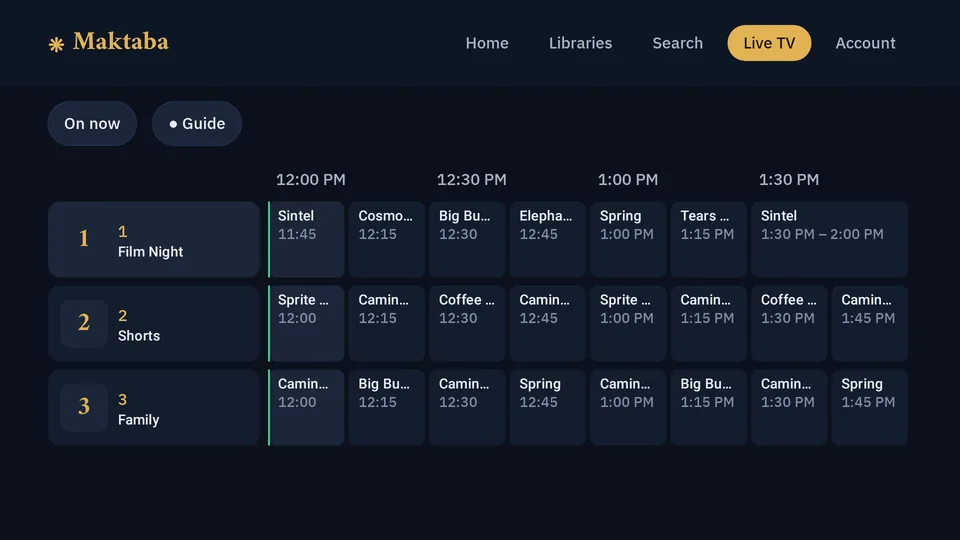
The TVBig screen, from the Mac, Windows or Linux app, or the TV's browser 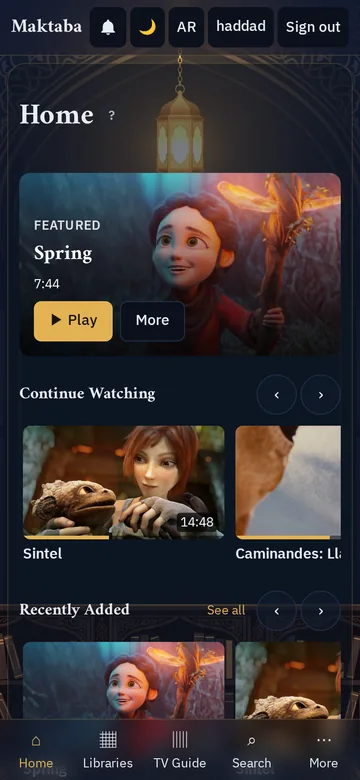
A phoneIn the phone's browser, with the tabs at the bottom 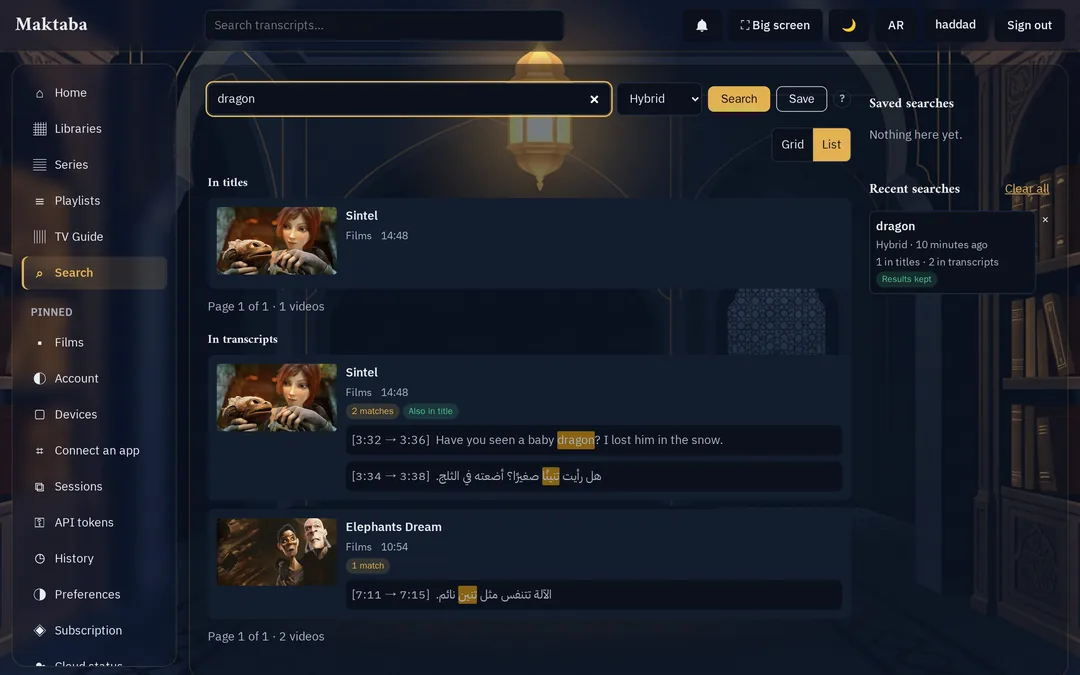
A tabletIn the tablet's browser 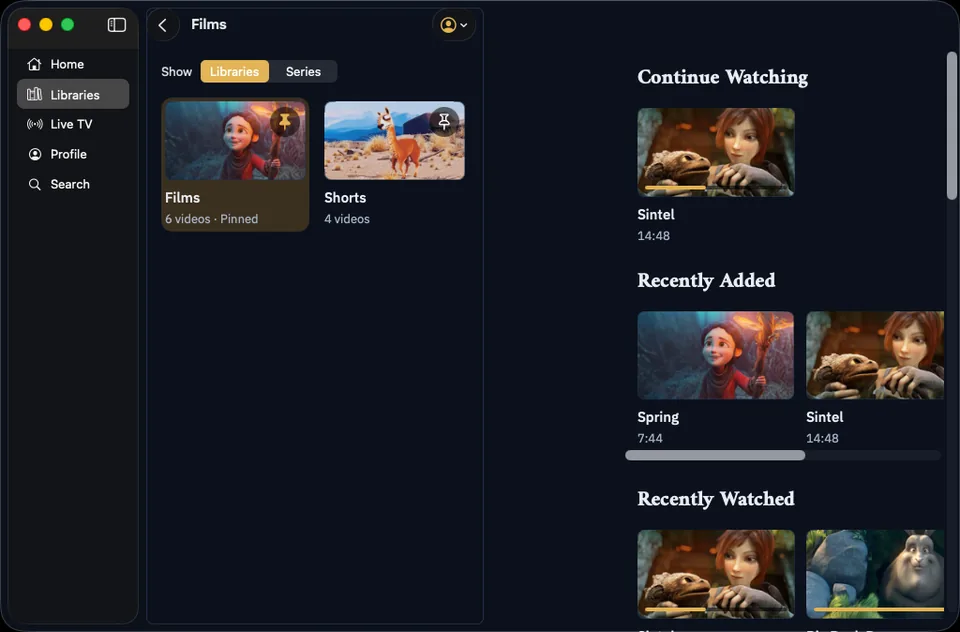
A computerThe Mac app, and Maktaba Player for Windows and Linux 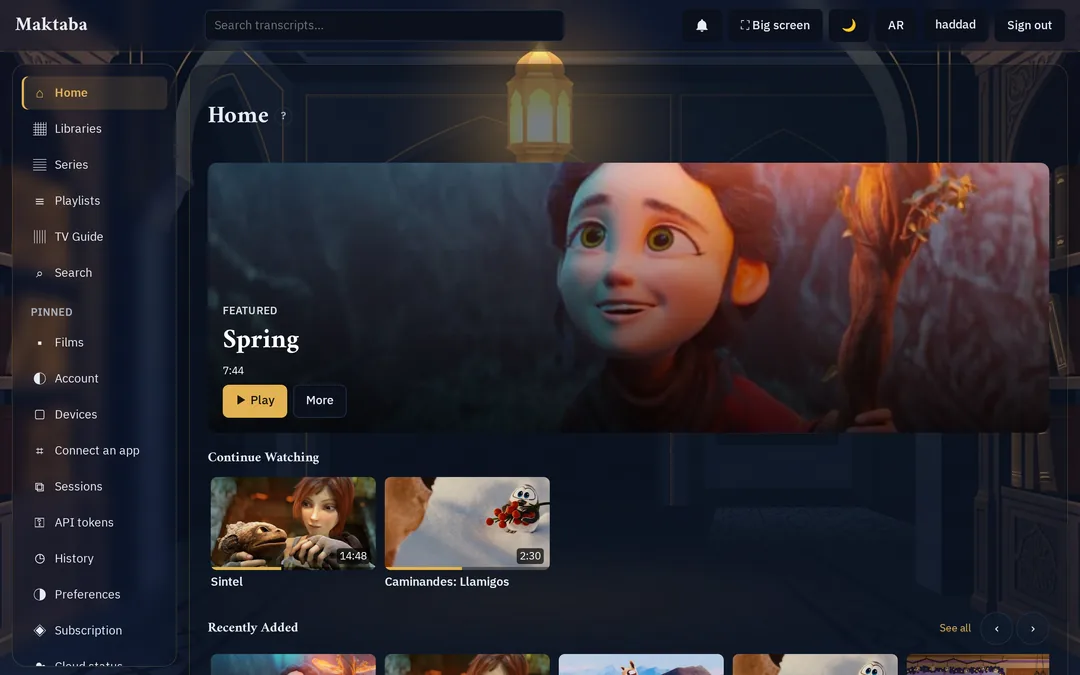
Any browserThe whole app, in any browser at home


What it does for you
It looks after the library, so you can watch
-
It keeps your library in order
Maktaba watches your folders and picks up new films and episodes by itself. Each series comes together by season, in order.
How the library works -
It makes subtitles
Maktaba listens to each film on the computer at home and writes its subtitles. Arabic and English both work.
How subtitles are made -
Live channels from your own films
Make channels that play around the clock, with a guide. Tune in and you join whatever is on, like ordinary TV.
Watching live channels -
Search what was said
Type a word in Arabic or English. Maktaba finds the moment it is said, and plays from there.
How search works -
It updates itself
New versions install in the quiet hours you choose. If one can’t start, Maktaba puts the previous one back.
How updates work -
It runs on your own computer
A Mac, a Windows or Linux PC, or a NAS from Synology, TrueNAS, Unraid, QNAP or UGREEN. Most installs take about 15 minutes.
Choose your install guide
In Arabic and English
Arabic, right to left, on every screen
Every screen comes in Arabic, laid out right to left, and in English. Arabic and English titles sit side by side in one library, and search finds both.
In English 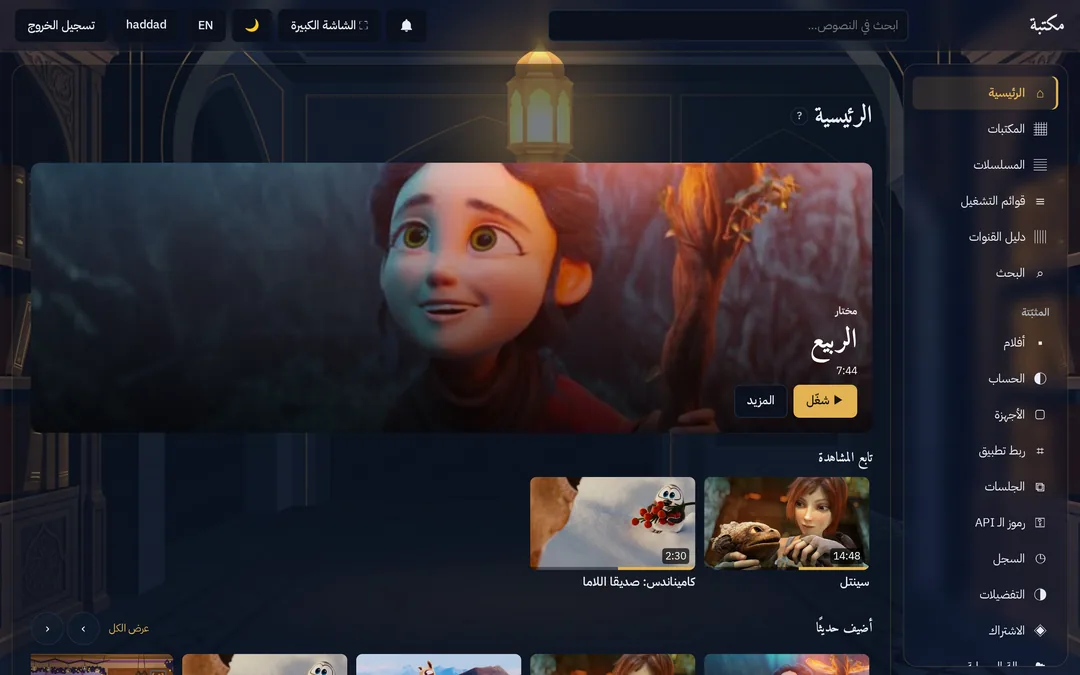
In Arabic

Your library stays yours
It runs in your home, for your home
- Your films stay at homeThey live on your own computer or NAS, and Maktaba plays them from there.
- Nothing leaves without your sayWhat you watch and your sign-ins stay on the computer that runs Maktaba. A problem report is sent only when you agree.
- No ads, no trackingMaktaba shows no adverts and keeps no record of you for anyone else. This website sets no cookies either.
- Open for anyone to readMaktaba is free and open source, under the MIT licence. Every line of it is on GitHub.
Get started
Three steps to your first film
Download Maktaba
For the computer or NAS that holds your films. It runs Maktaba for the whole house.
Follow the setup
The guide for your system takes you through it, in about 15 minutes.
Watch on every screen
Open Maktaba on your computer, or in any browser at home, the TV’s included.